A run club's Instagram looks like a club when every member's post looks like it came from the same place: the same mark, the same colour, the same type. Most clubs get there with a designer and a Canva template that nobody uses after week two. This guide does it from the run itself, on the member's own photo, with the stats pulled from Strava.
Everything below is in SHUTT, the iPhone app I make. The screenshots are from the app, with UNITÉ, a run club in València, as the example. The run numbers in them are the app's sample run, not a real result.
1. Add your club
Open the club tab and find your club: it opens on your city, worked out from where your runs start. Each club has its own page with its Instagram, its Strava club and a Try it on button to see the club on a run before you add it.
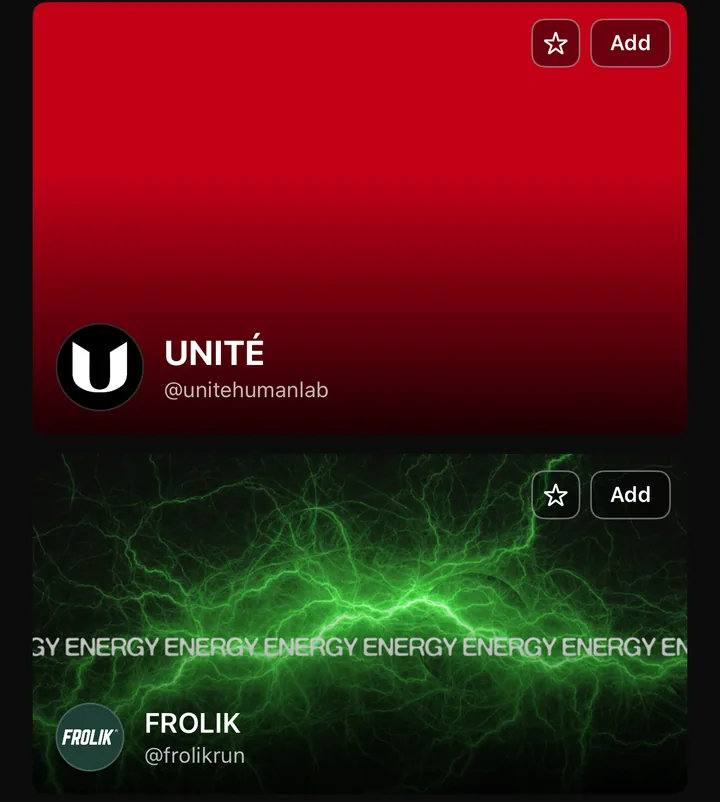
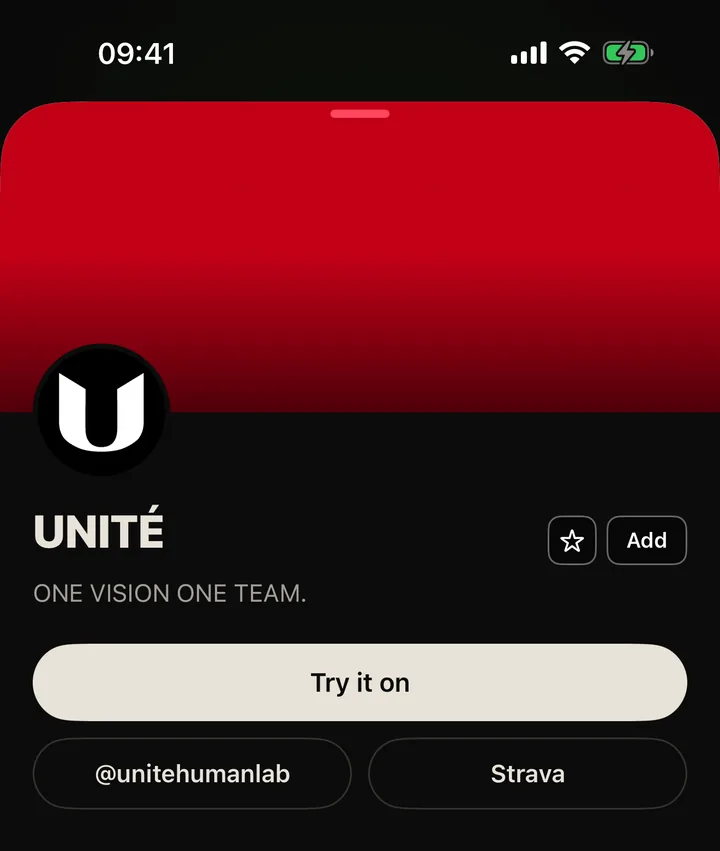
Your club is not there? The + at the top of the tab suggests it, and it gets added by hand with its real logo and colours. You can also browse every club SHUTT knows on the web at shutt.run/clubs.
2. Pick a club look
Open a run in the editor. Two looks in the rail are built around the club: Club logo, the mark over your photo with your stats, and Club card, a glass member card with the club, the city, the date and your distance, pace and time.
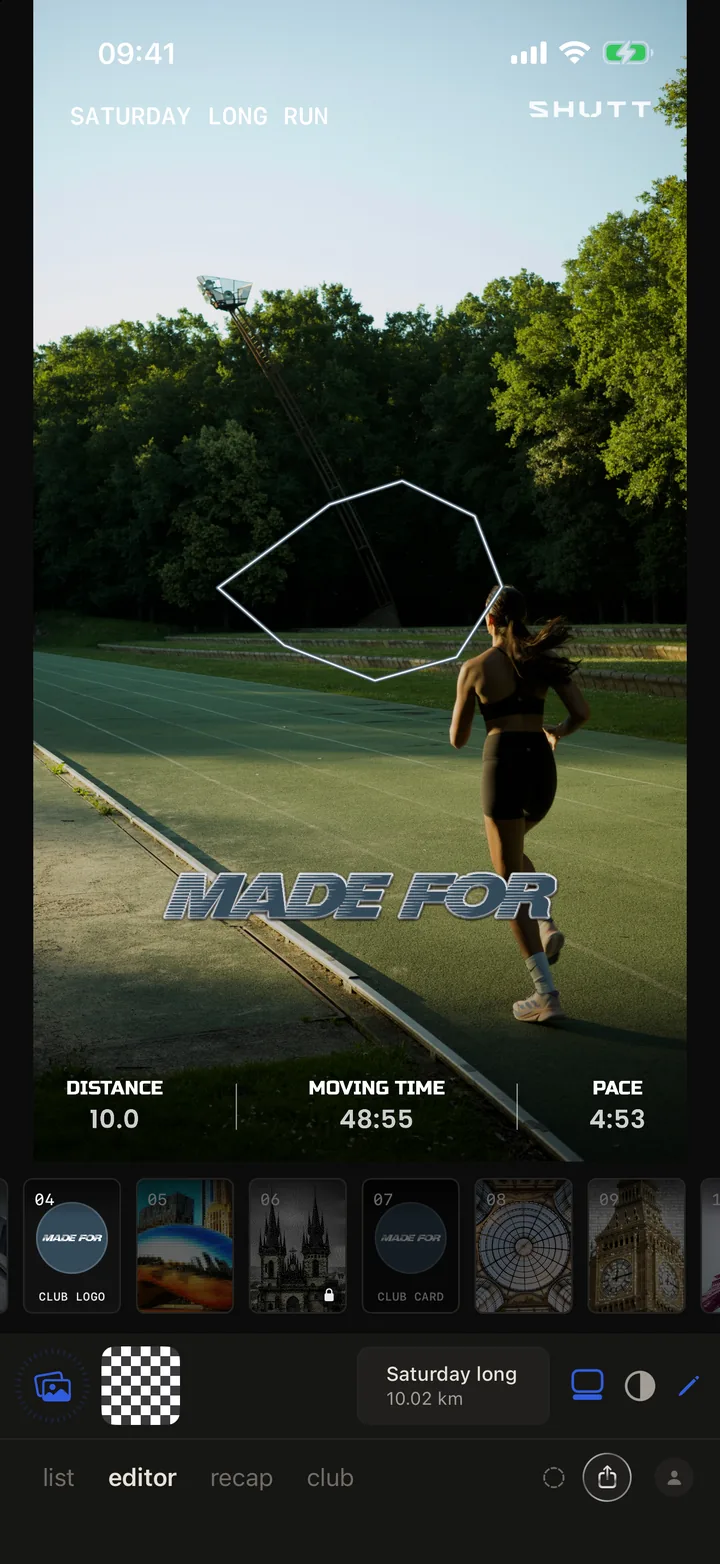
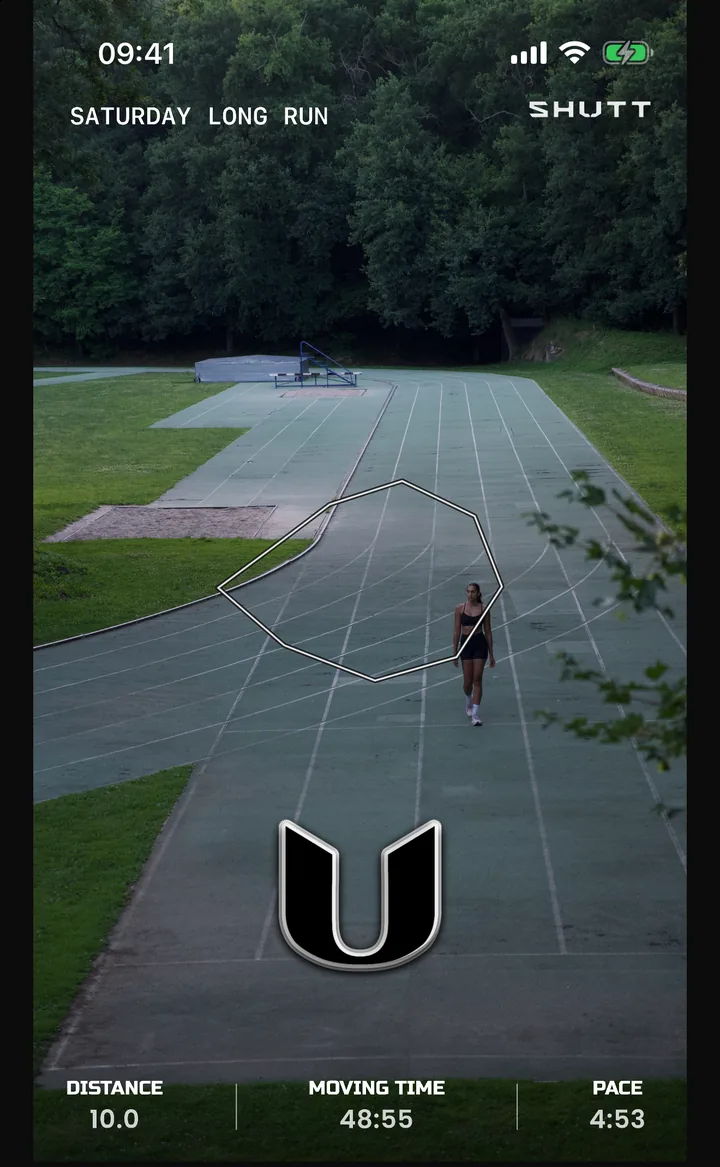
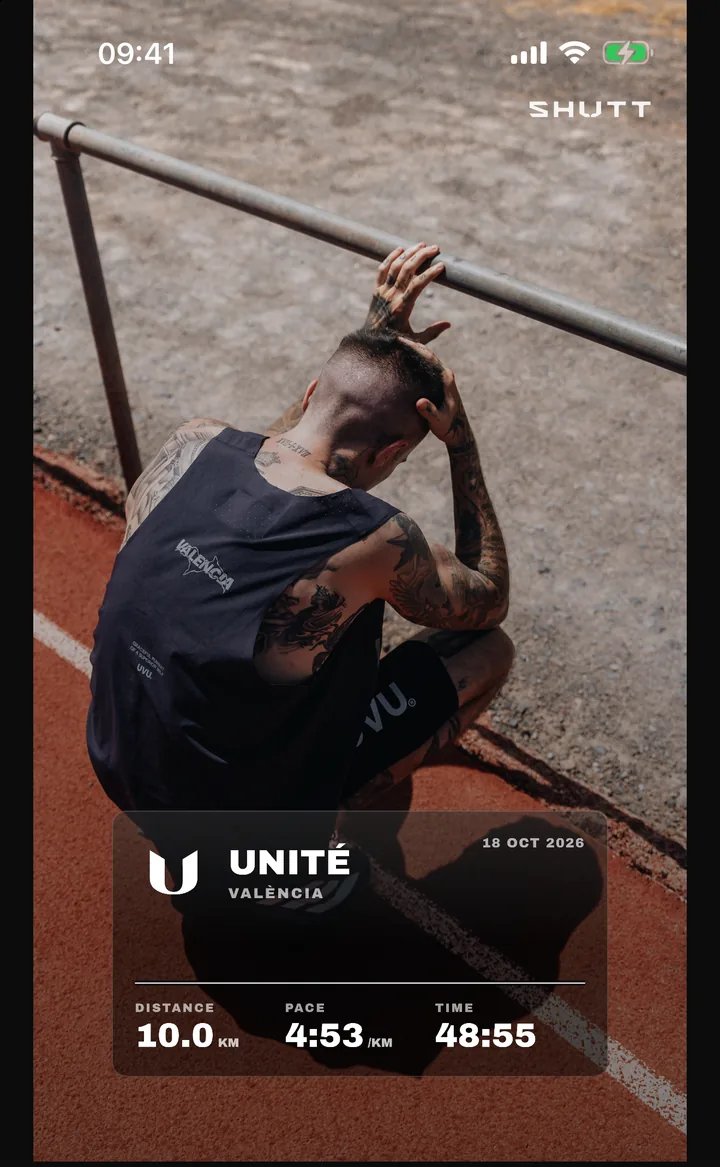
Club logo suits a wide photo with space at the top: a track, a bridge, the group from behind. Club card suits a busy photo, because the glass card gives the stats their own ground.
3. Choose which club it wears
If you run with more than one club, the pencil on a club look opens the club menu: one pill per club, and the logo, name and colour switch together when you tap one.
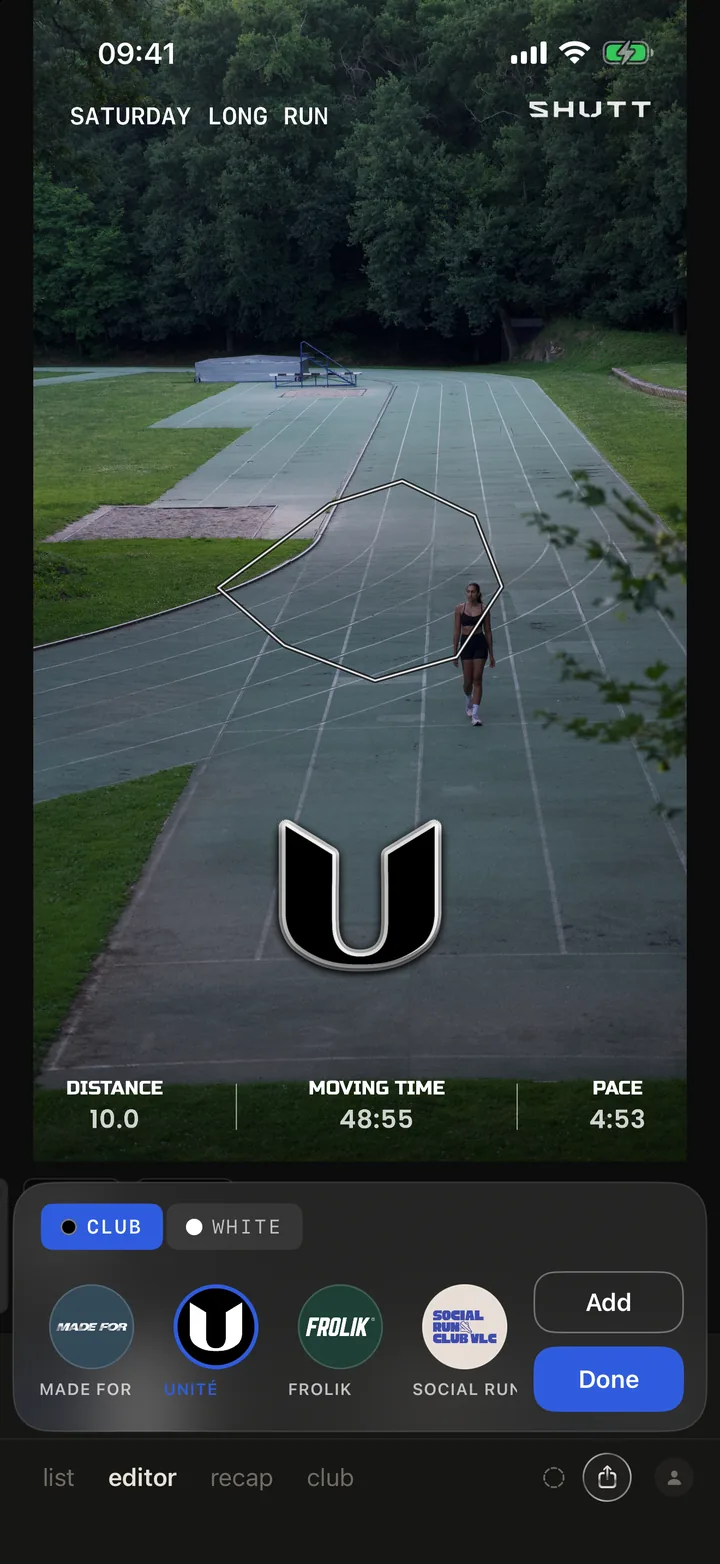
4. Put the club's colour on the route
The same menu has two pills, CLUB and WHITE. CLUB paints the route in the club's colour. Clubs whose colour is a dark ground under a white logo get a white route outlined in the colour, because a dark line disappears on most photos. WHITE leaves the route plain.
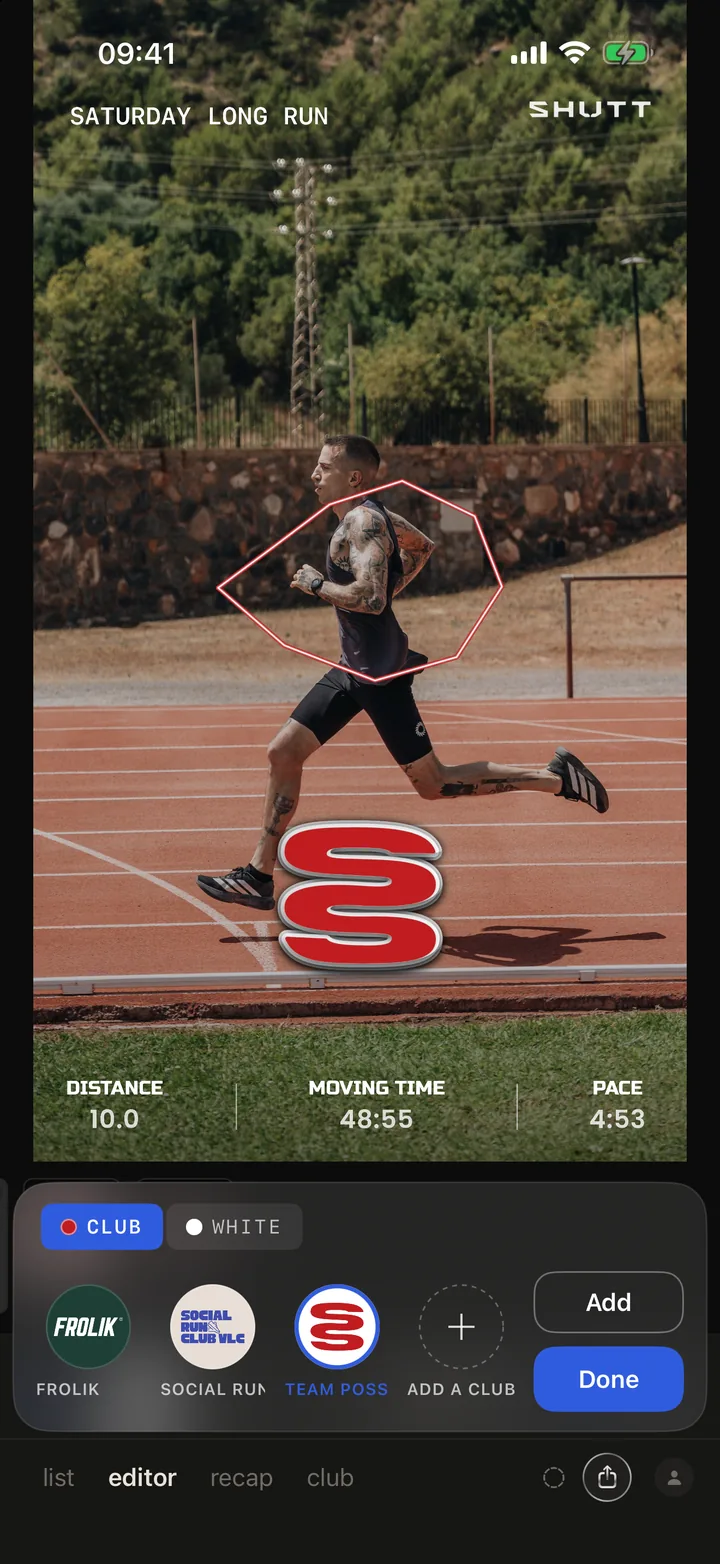
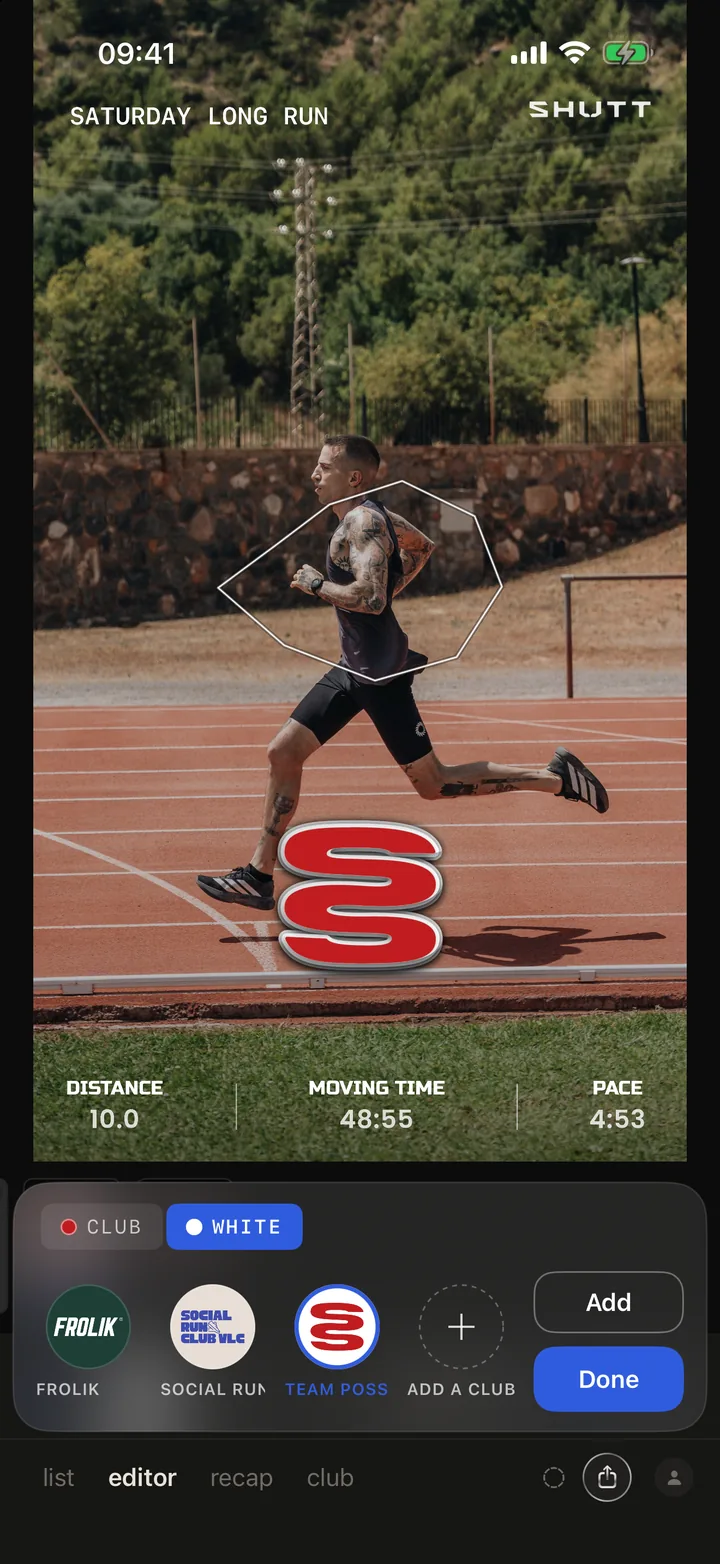
The type stays white on purpose. Tested on real run photos, most club colours were hard to read as text, while a thin coloured route held up for every club. The colour still reads as the club's; it just lives on the line.
5. The club's own typeface
There is no font picker for clubs, and that is deliberate. When a club is added, its name is set in a typeface matched to the club's own lettering, so UNITÉ always looks like UNITÉ, on every member's photo. The name block shows it, and its style button switches between plain type and a grey or black plate.
6. Move it by hand
Every club block is an ordinary block. Drag the logo anywhere, pinch it bigger or smaller, and tap the style button to cycle it: die-cut sticker, a sticker with a border in the club's colour, holographic foil, the logo in its own colours, white, black, a keyline outline, or chrome.
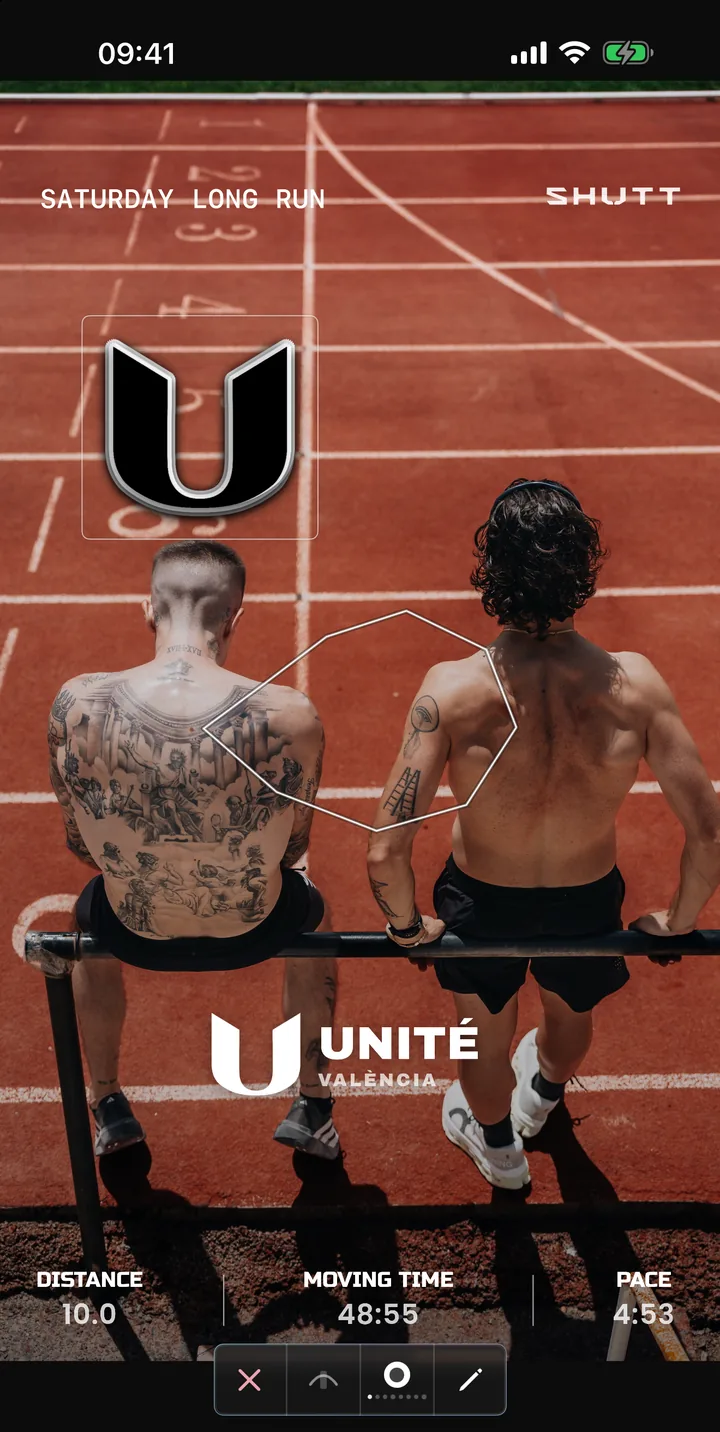
That photo is not a club look at all. The Club tab in the editor adds the logo, the name or the card to any look, so a splits table, a race poster or a big distance figure can carry the club too. The club looks guide lists every block and style.
7. Export
Story (9:16) for Instagram Stories, Post (4:5) for the feed, Square (1:1) for anything else. Save it or share it straight to Instagram.
A house style in four rules
If you run a club and want members' posts to look like a set, these are worth posting in your group chat:
- One look per run type. Club logo for the Saturday long run, Club card for track night. Members will recognise the run before they read it.
- Same logo style for everyone. Pick one (chrome and white both work on most photos) and stick to it.
- Club colour on. It is the cheapest way to make a feed look like one club.
- Photo first. The best club posts are 80% photo: shoot the group from behind, the start line, the coffee after. The club mark does the rest.
Find your club, or any club, at shutt.run/clubs.