The short answer: Strava's Year in Sport is a personal recap of your year that Strava now gives only to subscribers. In 2025 it arrived in early December. You can make your own for free: save Strava's free Month in Sport chart in late December, pull your totals from a free stats site, and post your best run of the year on your own photo.
Disclosure: I make SHUTT, one of the apps mentioned below. Facts about Strava come from Strava's own press releases and help pages, and from the press coverage named in the text, read in November 2026.
What is Strava's Year in Sport?
There are two things with the same name:
- The Year in Sport trend report is about everyone on Strava: what people did, which sports grew, which shoes they logged. It is public. The 2025 edition, Strava's 12th, came out on 3 December 2025.
- Your personal Year in Sport is a recap of your own year: your totals, progress and milestones. Strava's August 2025 press release says "Strava subscribers also receive a personalized Year in Sport recap each December."
The personal recap used to be free. 2025 was the first year it was limited to subscribers, as road.cc and Ars Technica reported in December 2025. Strava told road.cc that with the relaunch of its subscription it wanted to clarify the core benefits of Strava, and that the added insights and storytelling are now part of the subscription. Many free users were not happy about it.
When does it land?
| Edition | Trend report | Personal recap | Gone |
|---|---|---|---|
| 2025 | 3 December 2025 | Early December 2025, subscribers only | 23 January 2026 |
| 2026 | Not announced (checked 8 November 2026) | Expected in December 2026 |
The 2025 dates come from Strava's press release (trend report), the December 2025 coverage (the recap came out earlier in December; Strava's own pages do not give the exact day), and Strava's help page, which says the summary is "only available on a seasonal schedule" and was unavailable from 23 January 2026. Nothing Strava had published by 8 November 2026 says the 2026 recap will be free again, so plan on it being for subscribers.
If you subscribe, it appears in the app under You, then Progress, near the top.
What can you get for free?
Strava's Month in Sport
Month in Sport is Strava's monthly recap, in the app under You, then Progress. Strava's help page (September 2026) says:
- Free members see total days, distance and elevation, plus a bar chart of the last 12 months.
- Subscribers also get hours, top sport, activity count, a percentile, a trophy case and a comparison with friends.
- It needs at least 3 activities in the previous month, shows only the current month and refreshes on the 26th.
- Each card has a share button to post it or save it to your phone.
That 12-month bar chart is, in effect, a free picture of your year. Open it in late December and save it before it refreshes.
A free trial
Strava's subscription page offers a 30-day free trial (November 2026). If you only want this year's recap, start it once the recap is out and cancel at least 24 hours before it renews, as the page says. Do it only if you are sure you will remember.
Free stats sites
Several sites read your Strava history and show totals and charts you can screenshot. From the best Strava apps for runners, checked in October 2026:
- Smashrun: visual running stats, badges and pace trends, free with a paid Pro.
- intervals.icu: fitness and training charts, free; importing your full history is a Supporter perk.
- Statshunters: a heatmap and explorer tiles of everywhere you have run, free.
- For a print: heatmap posters of a whole year from My Adventure Maps or Runalyze, or the free, open-source GpxTrackPoster if you are happy on a command line.
How to make your own year graphic
A year recap does not need twelve slides. The ones people stop on usually have one big idea. Three that work:
- Your best run of the year, on your best photo. The race, the long run, the first time at a distance. Put its stats on the photo you took that day. This is the "best run" graphic, and it says more about your year than a total.
- One number. Total distance, or the number of days you ran, set large on a photo from your favourite run. Take it from Month in Sport's chart or a stats site.
- A short carousel. The one-number card first, then your best run, then the best month. Three slides, not twelve.
For the best-run graphic, any overlay app that reads Strava does it: open the run, pick the photo, pick a layout. StatShot, Picstat and SHUTT are compared in Picstat vs StatShot. If the best run was a PR, the guide to sharing a PR without a subscription has the free ways to label it.
What SHUTT does, and what it doesn't
SHUTT, the app I make (iPhone; compatible with Strava, not made by Strava), has no year recap today. Here is what it does have for the end of the year:
- Month and week recaps. The Recap tab turns a week or a month of running into a finished look on your photo: a bar for every kilometre, your totals, a calendar of the days you ran, a pace chart, your longest run. You can pick any week of the last year or any month of the last two years, and change the style, font and darkness. Transparent export needs Pro.
- Weekly looks in the editor, such as twelve weeks of distance with the current week picked out, or a week's total.
- Your best run as a look. Open the run, pick the photo, and pick one of 33 looks. If it was a race in SHUTT's calendar, the Finish look prints the race name, date, official distance and time.
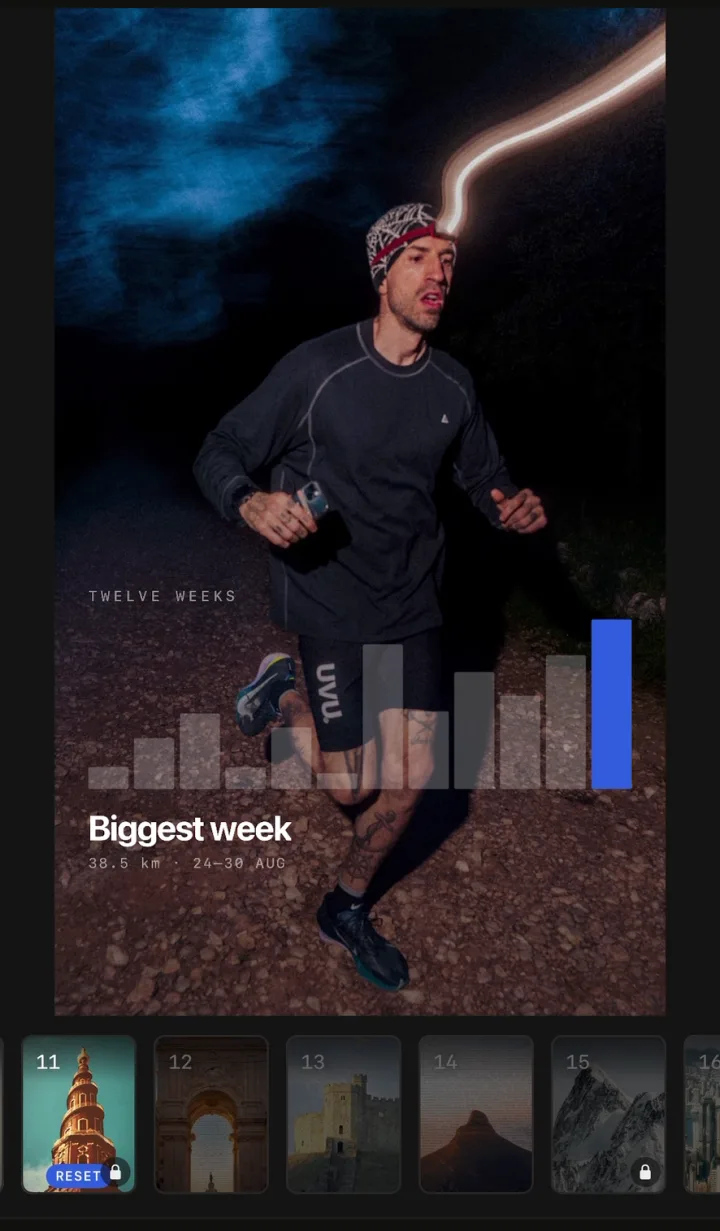
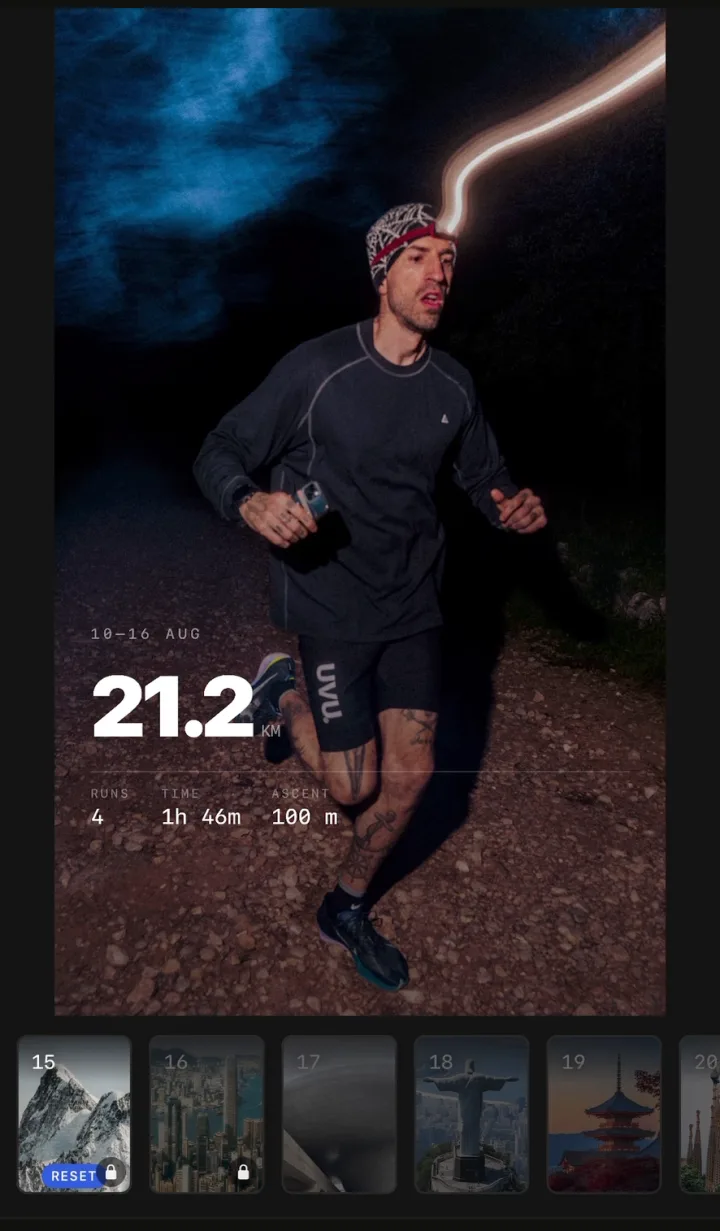
So a SHUTT version of your year is your best month as a recap look plus your best run on its photo. Distance, pace, splits, elevation and the route are free; free exports carry a small SHUTT mark.
A few tips for any year recap
- Post it while everyone else is. Recaps get shared the week they come out, in December. One on 3 January feels late.
- Use your own photo. Every Strava recap looks like every other Strava recap. Your photo is the part nobody else has.
- Pick numbers people understand. "1,204 km" or "212 days" reads at a glance; a percentile or a training load does not.
- Leave the misses in. An injury month or a race that went wrong makes the good parts read as earned.