The short answer: pick Picstat if you are on Android, if some of your runs are GPX files rather than Strava activities, or if you want collages and an animated route. Pick StatShot if you want the simplest tool, edit on an iPad, or want live data that moves with your video. Pick SHUTT if you want the photo to look designed, with the route drawn as a mark, your run club's logo or a weekly or monthly recap.
Disclosure: I make SHUTT, so I have a stake in this. I have tried to say plainly where each app is better. Everything about Picstat and StatShot comes from their own App Store and Google Play listings and websites, read in November 2026. I did not pay for either app's top tier, so I describe what their listings say, not what I measured.
Picstat vs StatShot vs SHUTT at a glance
| Picstat | StatShot | SHUTT | |
|---|---|---|---|
| Developer | Kuba Studio | Senne Scheepers | Hector (me), Valencia |
| Platforms | iPhone (iOS 15+), Android | iPhone, iPad (iOS 18+) | iPhone (iOS 17+) |
| Reads | Strava, plus GPX from Garmin Connect, Nike Run Club, COROS, Apple Health, Suunto | Strava | Strava |
| Photo | 200+ presets, collages, gradients, location sticker | Several photo templates; fonts, colours and layout | 33 finished looks; 28 typefaces, every block movable |
| Video | In-app editing, animated route drawing | Video since July 2025; Telemetry Editor (live HR, power, speed) since July 2026 | The same looks on a clip |
| Route | Trace with colour, thickness and style; several activities on one map | Not mentioned in its listing | 49 line styles, or a map under the photo |
| Charts | Pace, heart-rate and elevation graphs | Not mentioned in its listing | Splits bars or table, pace and elevation profiles, heart-rate zones |
| Extras | 16:9, 9:16 and 1:1 export | Running, cycling, walking, hiking, rowing, skiing; no account needed | Run club logos; weekly and monthly recaps; 30+ stats |
| US App Store rating (Nov 2026) | Too few ratings to show | 5.0 from 9 | Too few ratings to show |
| Price (US, Nov 2026) | Free; Bronze, Silver, Gold and Plus tiers from $0.99 to $44.99 | Free; $0.99/wk, $1.99/mo, $19.99/yr; Pro $3.99/mo, $29.99/yr, $49.99 one-time | Free; Pro $1.99/mo, $17.99/yr, $49.99 lifetime |
"Not mentioned in its listing" means just that: I did not find it on the page, which is not the same as the app lacking it.
How are they different?
All three do the same basic job: connect to Strava, pick an activity, pick a photo or video, and get your stats on it without typing. The difference is in what each one builds around that.
Picstat is the broadest. It reads the most sources (Strava and GPX files from five other platforms), runs on the most devices (iPhone and Android), and has the most pieces: 200+ presets, collages of several photos, several activities on one map, gradients, graphs and an animated route. Its 3.0 update in June 2026 moved video editing into the app with a new rendering engine. If you want to build many kinds of posts in one tool, this is the one.
StatShot is the plainest. Its listing opens with exactly what it does, and the app keeps to that: Strava stats on a photo or video, with your choice of fonts, colours and layout. Its standout is the Telemetry Editor, added in July 2026, which syncs live heart rate, power and speed to an activity video, so the numbers change as the clip plays. It is the only one of the three listed for iPad, it has a $0.99 weekly plan, and it is the only one with enough ratings to show a score (5.0 from 9). It is in English, Dutch, French and German; Picstat's listing gives English only.
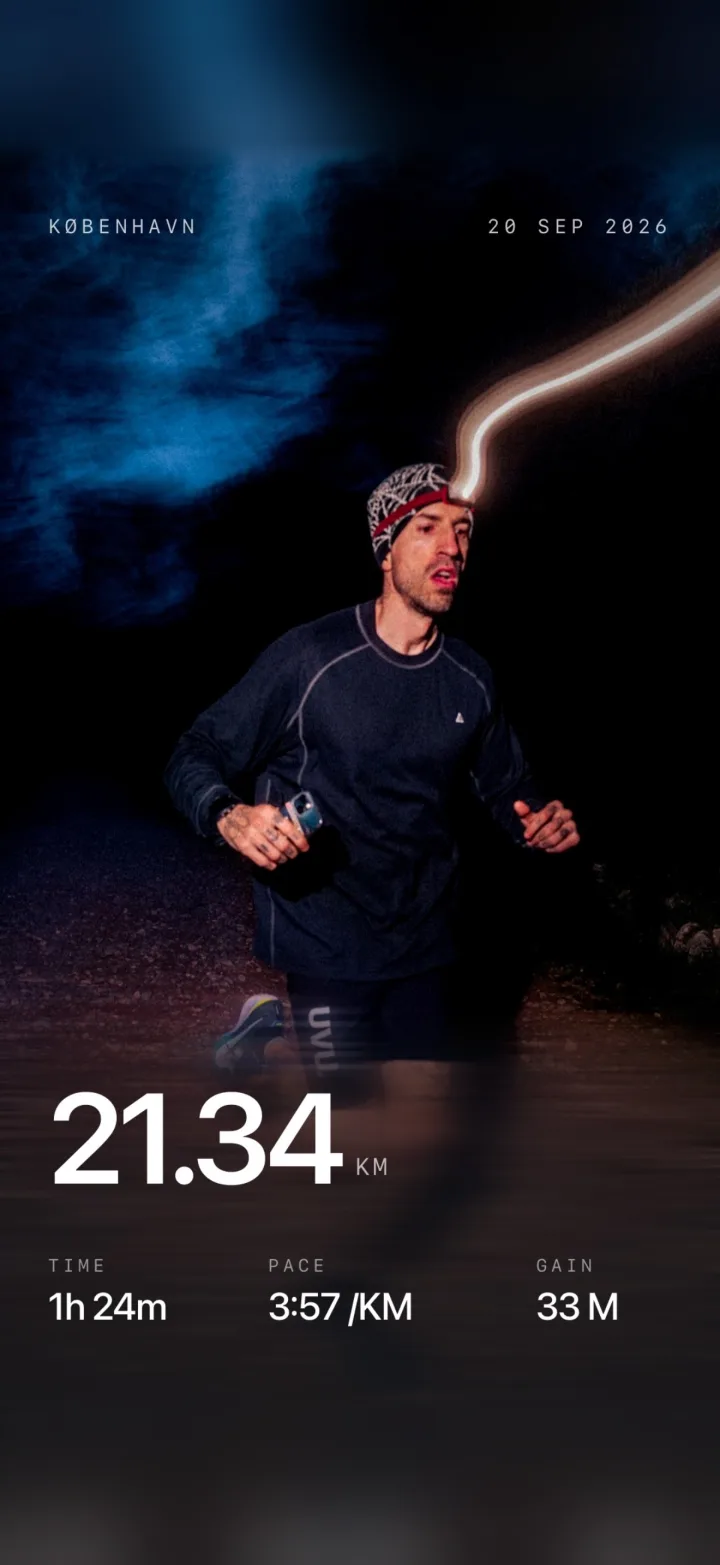
SHUTT is the most designed. It is the app I make, compatible with Strava and not made by Strava. Instead of templates to fill, it has 33 finished looks, each a complete layout with its own type, and the route drawn over the photo in 49 styles. It also has run club looks (your club's logo and name on the photo) and a Recap tab that turns any past week or month into a look; neither Picstat's nor StatShot's listing mentions either.
Which is better for photos?
- For variety: Picstat. 200+ presets and collages mean you can make a different post every time.
- For quick and clean: StatShot. Pick a template, set the font and colours, done.
- For type that looks designed and a route that reads as part of the picture: SHUTT. The looks are made one at a time, and the route styles go from a plain line to chrome, neon or numbered kilometre markers.
SHUTT keeps one photo per image on purpose. If you want several photos in one post, that is Picstat.
Which is better for video?
- Live data on a clip: StatShot's Telemetry Editor, which syncs heart rate, power and speed to the video.
- An animated route and editing in the app: Picstat.
- The same look on a clip as on your photos: SHUTT, which keeps the brightness and colour you filmed.
If video is all you do, especially GoPro footage, STREIV is also worth a look; see the full comparison.
Which is better if you are not only on Strava?
Picstat, clearly. It reads GPX files exported from Garmin Connect, Nike Run Club, COROS, Apple Health and Suunto. StatShot's listing and SHUTT both read Strava. For SHUTT that is less of a limit than it sounds, because Garmin, Apple Watch, COROS and most other watches sync to Strava on their own, but if a run is not on Strava, SHUTT can't see it.
Which is cheapest?
On the US App Store in November 2026:
- Per year: SHUTT at $17.99, then StatShot at $19.99 ($29.99 for Pro). Picstat's tiers run from $0.99 to $44.99; its listing names them Bronze, Silver, Gold and Plus.
- For one race week: StatShot at $0.99 a week.
- Once and for all: StatShot Pro one-time and SHUTT lifetime are both $49.99.
All three are free to download. On SHUTT's free version, distance, pace, splits, elevation and the route are free, and exports carry a small SHUTT mark; heart-rate stats and transparent export need Pro. Picstat's and StatShot's listings do not spell out their free limits, so try them before you pay.
So which should you pick?
- You are on Android: Picstat.
- Some of your runs are GPX files, not Strava activities: Picstat.
- You want collages or several runs on one map: Picstat.
- You want the simplest tool, or you edit on an iPad: StatShot.
- You want live heart rate or power moving with your video: StatShot.
- You want the photo to look designed, with the route drawn well: SHUTT.
- You run with a club and want its logo on your photo, or you post weekly or monthly recaps: SHUTT.
Looking at StatShot in particular? There is more on it in StatShot alternatives. For every stat SHUTT can draw, see every stat you can put on a run photo.