If Strava's km splits share card is not showing for you, you are not doing anything wrong: it reached some accounts and not others when the new share cards rolled out in September 2026, and Strava's help pages (read on 17 November 2026) do not mention it at all. The free way round it is to screenshot the splits from the run's Workout Analysis screen, crop it, and add it to your Instagram Story as a photo sticker over your own photo.
Below is what to check first, four ways to share your splits without the card, and which one suits which run.
Why is the Strava splits card missing?
Strava has not explained it, so here is only what can be checked.
In late September 2026 Strava started showing new share cards and stickers when you tap share on an activity. On 23 September a runner asked in r/Strava how others were posting a "KM Splits" share card. The thread ran into October, and the replies tell the story:
- Several runners saw all the new cards except the splits one.
- One was on Android with Strava version 482.12 and asked whether the card was iPhone only.
- Another, recording with a running watch, said they were a subscriber, could use the subscriber-only cards, and still had no km splits card.
- As late as 4 October people were still writing "same, no km splits showing".
Strava's own pages add little. Its transparent sticker article says stickers need the Strava app on iOS or Android, version 482 or later, that sharing stickers is free for all athletes, and that some stickers show a message saying they are for subscribers only. It does not list the stickers, and neither it nor the sharing article mentions splits. So treat it as a feature that is rolling out unevenly, not as something you switched off.
What should you check first?
These come from Strava's sharing help pages. None of them is guaranteed to bring the card back, but each one rules out a real reason a share comes up short.
- Update Strava. Stickers need version 482 or later.
- Use a run recorded with GPS. Strava's sharing article says only GPS activities can be shared with a map or an image with stats. Treadmill, indoor and manually created runs cannot.
- Set the run to Followers or Everyone. Strava lists this as a cause of failed shares.
- Swipe through every card. Runners describe swiping through the share previews; the splits card, where it exists, is one of several.
- Force close and reopen Strava, then share again. If you just edited or cropped the run, close and reopen the activity first, or the shared image can show the old data.
- Check hidden details. Stickers do not show stats you have hidden on the activity.
If the card still is not there, the methods below do the same job.
How do you share km splits without the card?
| Method | Works on Android | Time per run | What it looks like |
|---|---|---|---|
| 1. Screenshot Workout Analysis | Yes | About 1 minute | Strava's own bars and numbers |
| 2. Screenshot the website splits list | Yes, from a computer | About 2 minutes | A plain table |
| 3. Type the splits in Instagram | Yes | 1 to 3 minutes | Your own type, as big as you like |
| 4. An overlay app | Depends on the app | Under a minute | Splits drawn on your photo |
1. Screenshot the splits in the Strava app
This is the closest thing to the missing card, and it is free.
- Open the run in the Strava app and scroll down. Strava's pace help page says the splits sit "at a glance below your workout analysis on the activity page".
- Tap the Workout Analysis preview to open the full screen. For a run without laps, Strava breaks it into one-km or one-mile laps depending on your units, with a bar graph of your pace and the distance, time and pace for each lap below it.
- Take a screenshot.
- Crop it in your phone's photo editor to just the bars, or just the table.
- In Instagram, start a Story with your own photo as the background, tap the sticker icon, tap Photo and pick the screenshot. This is the same route Strava's sticker article describes for its transparent sticker.
- Pinch to size it and place it over the darkest part of the photo.
The screenshot carries a solid background, so it reads on any photo. The cost is that it looks like a screenshot. Cropping tight and keeping it small near the bottom of the frame helps.
2. Screenshot the splits from the Strava website
If you have a computer to hand, Strava's run activity page on the website shows a list of your splits to the left of the map. The Pace Analysis view adds a split graph with your slowest, fastest and average splits. Screenshot it, send it to your phone, and add it to the Story as in step 5 above. It is slower, but it gives a clean table and works whatever phone you have.
3. Type your splits in Instagram
For a 5K or a short workout, typing is often the nicest-looking option, because you choose the type and the size.
- Read your splits off the activity.
- In the Story editor, open the text tool and type one split per line, for example "1 km 4:58".
- Pick a text style and colour that reads on your photo, and put the column over a dark area.
- Add Strava's own sticker for distance, time and pace, which it shares for every run.
Past about ten splits this gets slow and typos creep in. For a half or a full marathon, pick the story instead: the first and last km, or your fastest one.
4. Use an overlay app that reads your splits from Strava
Overlay apps connect to Strava and draw the run on your photo themselves, so nothing is screenshotted or typed. I compared the main ones, with what each does and costs, in the best Strava overlay tools.
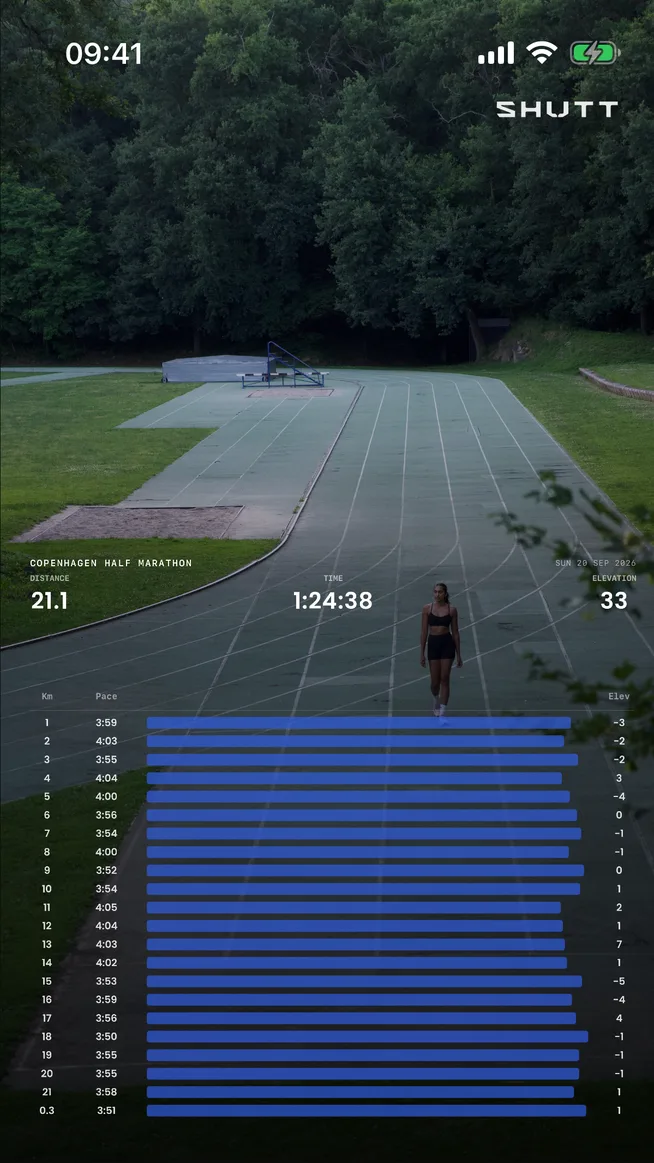
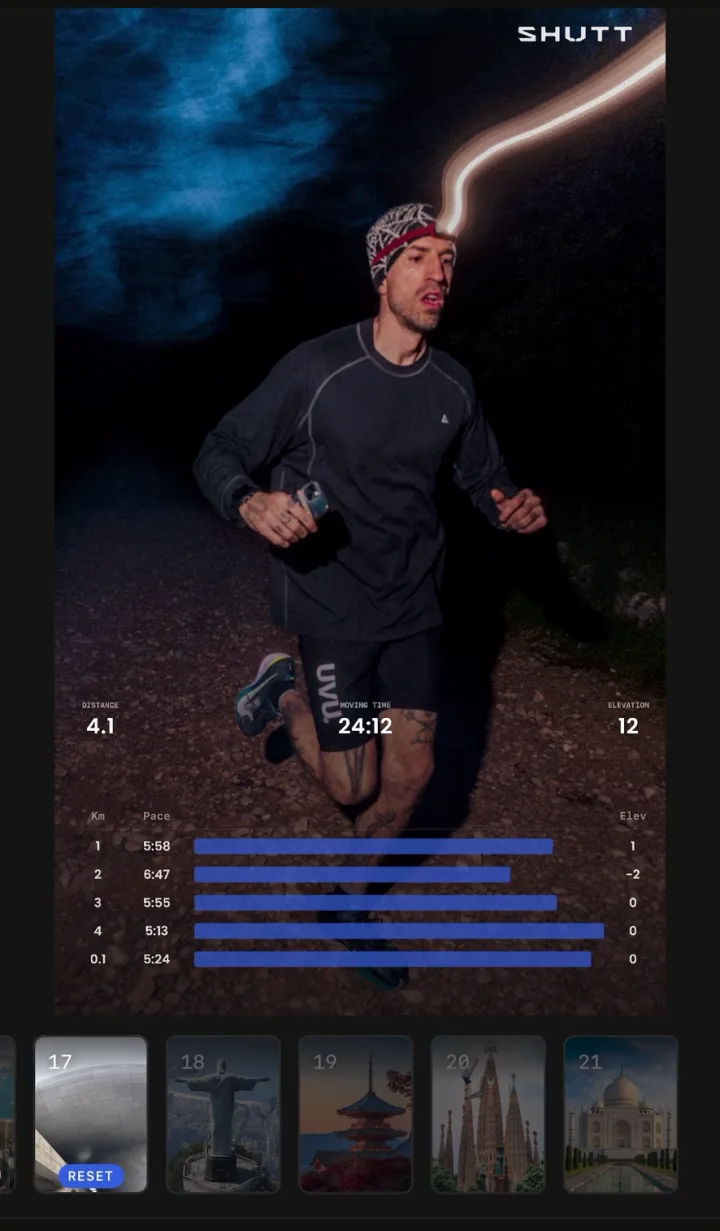
One of them is SHUTT, which I make (iPhone only, so no help on Android). It reads the splits from your Strava activity and draws them on your own photo as bars or a table; the table colours your fastest and slowest km. Splits, distance, pace, elevation and the route are free; free exports carry a small mark. Heart rate per split is a Pro stat.
Which splits are worth showing?
Splits tell the story of how a run went, so show them when there is a story:
- Intervals or a tempo run: the splits are the workout. Show all of them.
- A race with an even or negative split: show them all, or just the first and last km.
- A long run: too many rows for a phone screen. Show distance and pace, and save splits for the week you held pace the whole way.
- An easy run: splits rarely add anything. Distance, time and a good photo are enough.
For more on pairing splits with heart rate or elevation, see splits, heart rate and elevation on a running photo.
Quick checklist
- Update Strava, use a GPS run set to Followers or Everyone, and swipe through every share card.
- No splits card: screenshot Workout Analysis, crop it, and add it as a photo sticker.
- Short run: type the splits yourself over a dark part of the photo.
- Long run: show one or two splits that matter, not all of them.
- Check the Story at arm's length before posting.
If the share options are missing altogether, see why a Strava activity won't share to Instagram. If the sticker's white numbers vanish on your photo, see Strava stickers on bright photos.