Short answer: yes, you can share a Strava run straight to Instagram Stories from Strava's own share option, which puts your stats over a photo or the route map. For a feed post, a Reel, or a design that looks like yours, save an image or video to your camera roll first (screenshot, Canva, or an overlay app) and post it from Instagram.
There are four ways to do it. They trade speed against control.
| Method | Time | Your photo | Stats typed by hand | Feed post |
|---|---|---|---|---|
| Strava's share | Under a minute | Optional | No | Built for Stories |
| Screenshot | 15 seconds | No | No | Yes, after cropping |
| Canva or Instagram text | 10 to 20 min | Yes | Yes | Yes |
| Overlay app | About a minute | Yes | No | Yes |
Method 1: Strava's built-in share
The fastest way to get a run onto your Story.
- Open the activity in the Strava app.
- Tap the share icon on the activity.
- Choose Instagram Stories.
- Pick the background: a photo or the route map, with your stats on top.
- Instagram opens with the Story ready. Add stickers or text, then post.
The labels move around between Strava versions, but the flow is the same. If the Instagram option does not appear or the share fails, see why a Strava activity won't share to Instagram.
Good: free, quick, stats are exact because nothing is typed.
Limits: the layout, fonts and colours are Strava's, so your Story looks like everyone else's Strava Story. You choose from what Strava offers, not exactly which numbers appear or where. It is built for Stories, not for a 4:5 feed post.
Use it for: today's run, shared in a minute.
Method 2: A screenshot
Everyone starts here.
- Open the activity in Strava.
- Screenshot the summary with map, distance, pace and time.
- Crop it tight in the Photos app: remove the status bar, buttons and anything that is not your stats or map.
- Post it to your Story or feed from the camera roll.
Good: 15 seconds, no setup.
Limits: it is the Strava interface, not your run. The shape does not fit a 9:16 Story, so you get bars or awkward zooming. There is no photo of where you were.
Use it for: race results you want out before you forget. Always crop; a tight crop looks far better than a full-screen grab.
Method 3: Design it yourself
Full control, more time.
- Write down the two or three stats you want from Strava.
- In Canva, create a design at 1080 x 1920 for a Story or 1080 x 1350 for a feed post.
- Set your run photo as the background.
- Add a text box per stat. Big number, small label.
- For the route, screenshot the Strava map, crop it and place it in a corner.
- Export and post from your camera roll.
Instagram's own Story editor works for a quicker version: pick your photo, tap the text tool and type your distance and pace. You get a fixed set of fonts and no route, but it takes a minute.
Good: your photo, your layout, any format.
Limits: 10 to 20 minutes per post. Every number is typed, so a wrong pace is one slip away. Staying consistent means saving and reusing a template.
Use it for: a race or milestone where you want something one-off.
Method 4: An overlay app that reads Strava
Overlay apps connect to Strava, read the activity, and put the stats on your own photo for you. The thing to check in any of them: does it read Strava directly, or do you type the numbers in?
SHUTT is the one I make. It runs on iPhone:
- Connect Strava once. Your activities appear on their own.
- Open a run and pick a photo or a video clip from your camera roll.
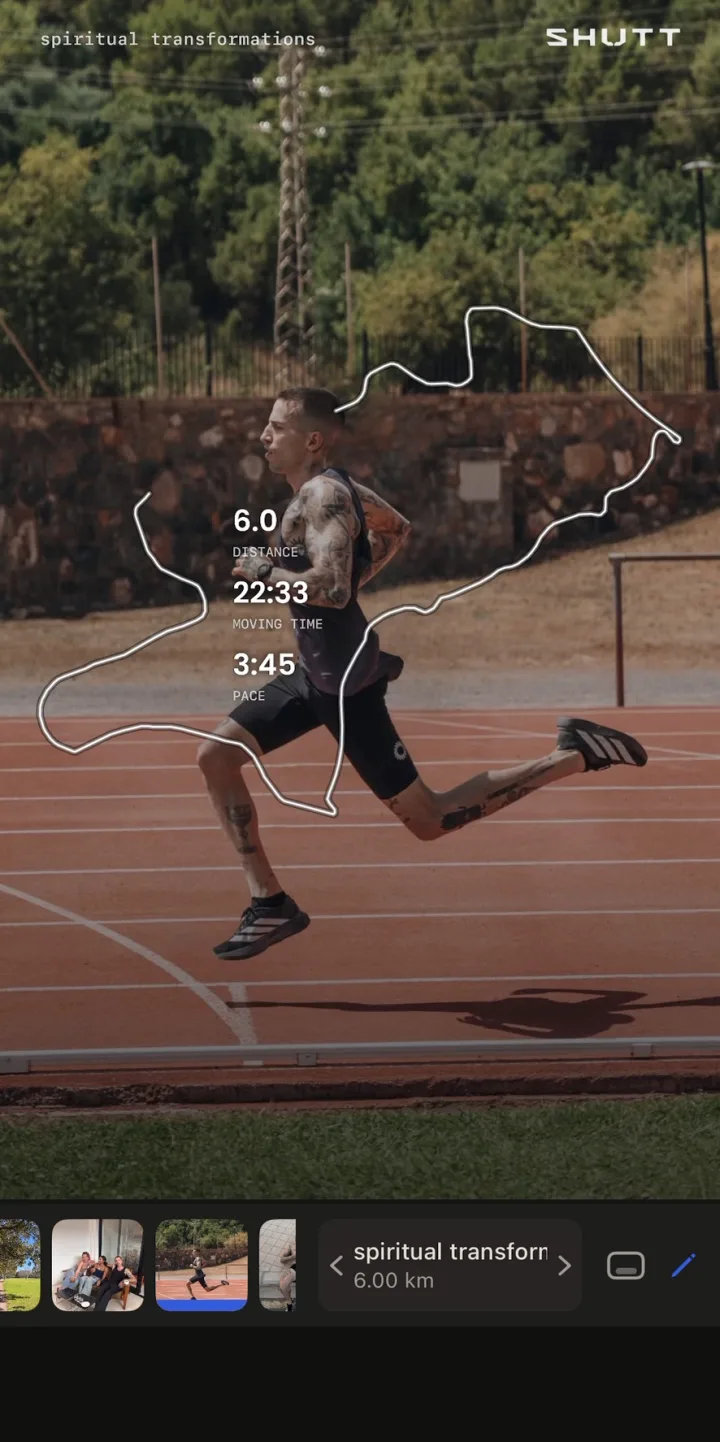
- Pick one of 33 looks. Each is a finished design, with distance, pace, time, splits, the route and more filled in from Strava.
- Drag, resize or restyle anything, or leave the defaults.
- Export as Story (9:16), Post (4:5) or Square (1:1), then save or share to Instagram.
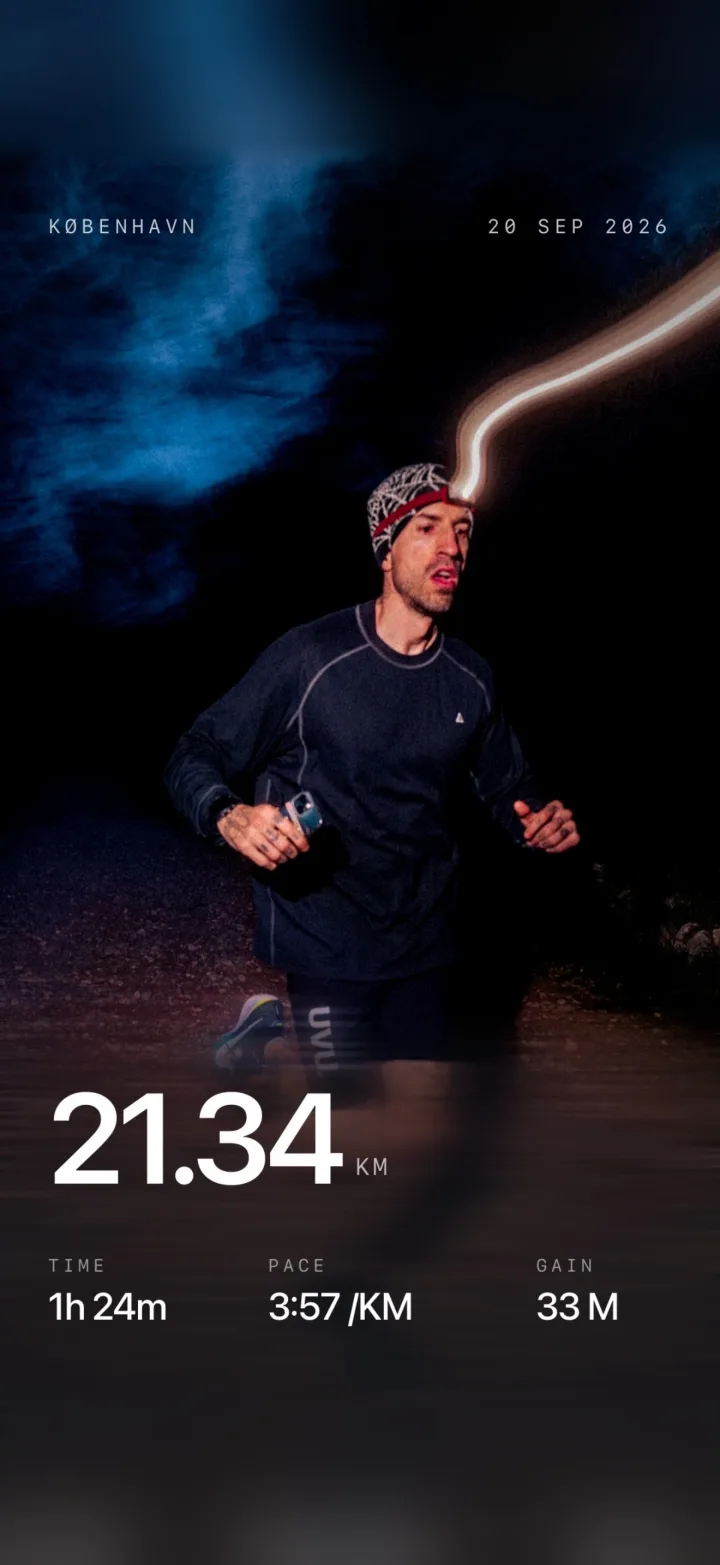
It only reads your Strava activities; it never changes anything in your Strava account. It is free to use, with a small mark on free exports. The features page covers the stats and route styles. Other apps work differently; this comparison sets them side by side.
Good: your photo or video, exact stats, a designed result, every Instagram format.
Limits: one more app on your phone.
Use it for: sharing most runs with a consistent look.
Format guide: Stories, feed posts and Reels
Instagram Stories
Size: 1080 x 1920 pixels (9:16).
- Use a vertical photo so it fills the frame.
- Keep stats away from the top and bottom edges. Your name sits at the top and the reply bar at the bottom.
- Two or three stats. Distance, pace and time cover most runs.
- A poll or question sticker ("Guess my pace") gets replies.
- Post within a few hours. A three-day-old run feels stale as a Story.
Layout ideas you can copy are in Strava Instagram Story templates.
Instagram feed posts
Size: 1080 x 1350 (4:5) or 1080 x 1080 (1:1). Use 4:5; it takes more of the screen.
- Save feed posts for runs that matter: races, firsts, new places.
- Write a real caption. "5K done" is not one. What the run meant is.
- A carousel works well: the photo with stats first, then the route, then a candid shot.
- A few relevant hashtags beat a wall of them.
Instagram Reels
Size: 1080 x 1920 (9:16).
- Reels reach people who do not follow you yet.
- A simple structure: a shot before the run, a few seconds of running, then the stats. 10 to 15 seconds in total.
- If you only have photos, add movement: a slow zoom or a cut between two frames.
- Stats rendered onto the clip read better than stickers added on top. Apps that support video, SHUTT included, export the clip with the stats and route already on it. The full walkthrough is in how to add Strava stats to a video.
Common mistakes
Sharing every run. Not every recovery jog needs a post. Share runs with something to say: a breakthrough, a new place, a hard day.
Typing the wrong pace. Runners notice. Double-check typed stats or use a method that reads them from Strava.
A poor photo under a good design. A blurry, dark photo stays blurry and dark. On those days, the route map is the better background.
Leaving the caption empty. On feed posts the caption is where people reply.
Posting late. Stories should feel like today.
Which method should you use?
- "I want it on my Story now." Strava's share (Method 1).
- "I want it to look like mine, quickly." An overlay app (Method 4).
- "I want every post to look consistent." An overlay app with one look you reuse, or a saved Canva template.
- "This race deserves something special." Canva by hand (Method 3), or an overlay app if you want the stats exact.
- "I do not care how it looks." A cropped screenshot (Method 2).
Whichever you pick, the single biggest upgrade is using your own photo instead of the app screen. For the techniques behind a good result, read how to add stats to your running photos and how to make your Strava photos look good.