Short answer: a good Strava Story template is a 9:16 frame (1080 x 1920 pixels) with your own run photo filling it and two to four stats placed clear of Instagram's top and bottom bars. Strava's own share gives you one fixed layout; for anything else, build one of the four templates below in Canva, or use an app with finished designs that fill the stats from Strava.
Why a plain Strava screenshot looks wrong in Stories
A Story is 9:16. A screenshot of the Strava app is whatever shape your screen is, with the content bunched at the top. You get:
- The wrong frame. Bars around it, or a zoomed, soft crop.
- The app's interface. Status bar, buttons, kudos count, Strava's colours and fonts. Nothing that says you.
- Too much. Segments, graphs and a dozen numbers at the same size. A Story needs two to four.
- No photo. The Stories that work show where you ran.
A template fixes all four. Set it up once, then each run is a photo swap and a few numbers.
Before you start: the Story frame
| Value | |
|---|---|
| Size | 1080 x 1920 pixels |
| Ratio | 9:16 |
| Top area to keep clear | about 250 px (profile name, progress bar) |
| Bottom area to keep clear | about 250 px (reply bar, stickers) |
| Side margin | 60 to 80 px |
| Stats per Story | 2 to 4 |
Template 1: Minimal stats
The cleanest layout. One photo, three numbers.
Looks like: the photo fills the frame. In one corner sits a small block: distance, pace and time, each on its own line. A thin rule between label and number at most.
Why it works: the photo does the talking and the numbers give context without competing.
Build it in Canva:
- Create a design at 1080 x 1920.
- Place your run photo and stretch it to fill the frame.
- Add three text boxes in the bottom-left corner, above the bottom safe zone.
- Type distance, pace and time. Big number, small label above it.
- Use a clean sans-serif. White with a soft shadow works on most photos.
- Save it as a template, export and post.
Time: 5 to 10 minutes once the template is saved.
Template 2: Data panel
For runs where the numbers are the story: a marathon, a long run, a hard session.
Looks like: the photo is still the background, with a dark gradient rising from the bottom third. On it, a grid of stats: distance, pace, time, elevation gain, average heart rate, maybe splits.
Build it in Canva:
- Start from the same 1080 x 1920 design with your photo.
- Add a rectangle over the bottom third with a black-to-transparent gradient, or black at 50 to 60 percent opacity.
- Lay out the stats in a grid of two or three columns.
- Use a condensed or monospaced face for numbers so they line up.
- Main stats large (distance, pace), secondary ones smaller (elevation, heart rate).
- Labels in a lighter weight, above or below each number.
Time: 10 to 15 minutes the first time.
Keep the photo visible. If the panel covers more than a third of the frame, cut stats.
Template 3: Route focus
When the route is the story: a coastline, a city grid, a mountain loop.
Looks like: the route takes the centre of the frame, with distance and time above or below it. The background is your photo darkened, or a dark map.
Build it in Canva:
- Screenshot the route in Strava, zoomed so the route fills the map.
- Crop out every button and header.
- Place it in the centre of your 1080 x 1920 design over a darkened photo.
- Add distance and time above or below.
- Keep everything else off. The route already has enough detail.
Time: about 10 minutes. The slow part is getting a clean map without interface in the way.
Template 4: Then and now
For progress: the same race a year later, the first 10K against today's.
Looks like: the Story is split top and bottom. One half shows the earlier run, the other today's. Each half carries the date and the stat that changed.
Build it in Canva:
- Split the 1080 x 1920 design into two halves, top and bottom.
- Place the old photo on top, today's below.
- Add the date and the key stat to each half.
- Separate them with a thin line or a label: THEN and NOW, or the two dates.
Time: 15 to 20 minutes, mostly spent finding the old photo and stats in Strava.
Doing it with an app instead
The manual templates work, but every Story means retyping numbers and re-cropping a map. Apps that read Strava skip that step.
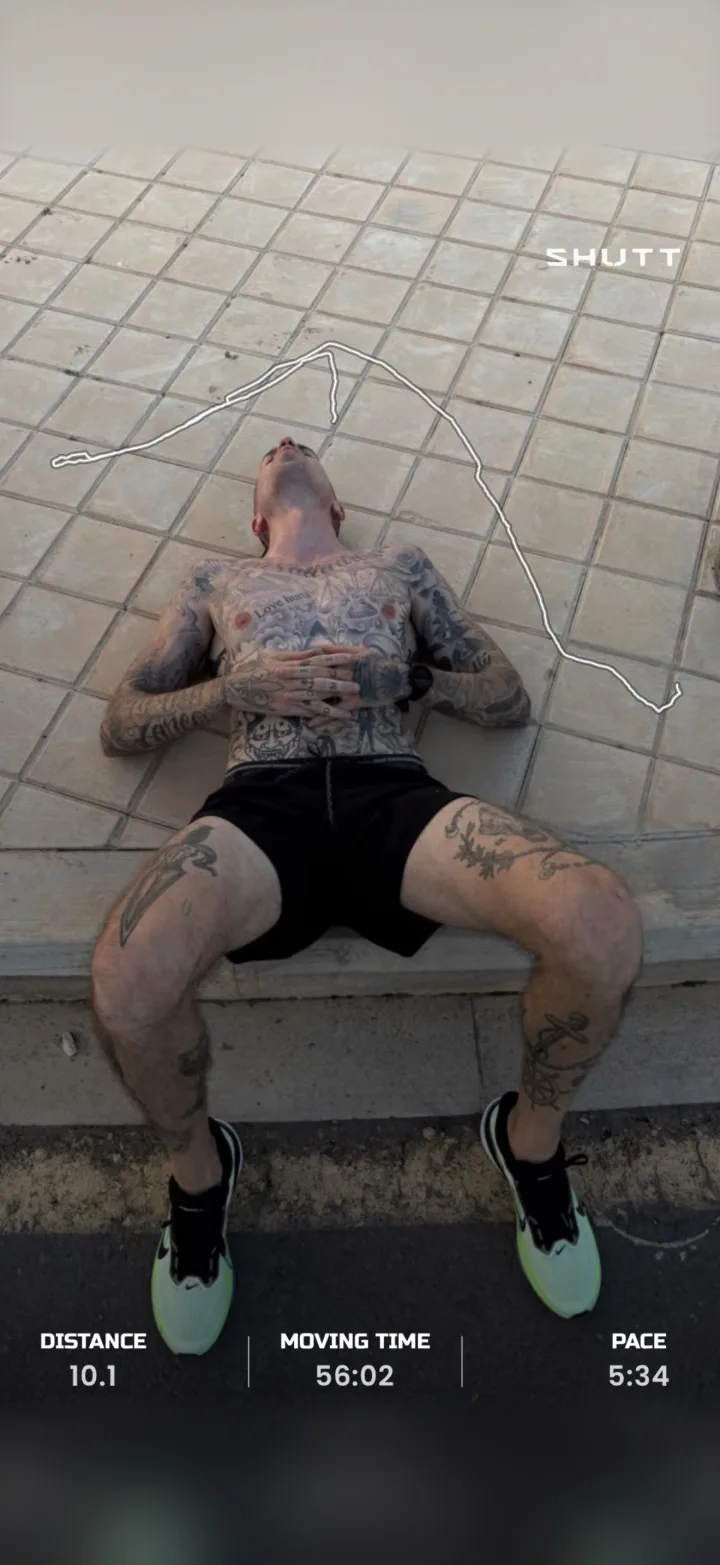
SHUTT, the app I make for iPhone, takes a different approach from a template: it has 33 looks, each a finished design with a name, and the stats come from the Strava activity.
How to do it in SHUTT
- Connect Strava once. Your activities appear on their own.
- Open a run and pick a photo or a video clip from your camera roll.
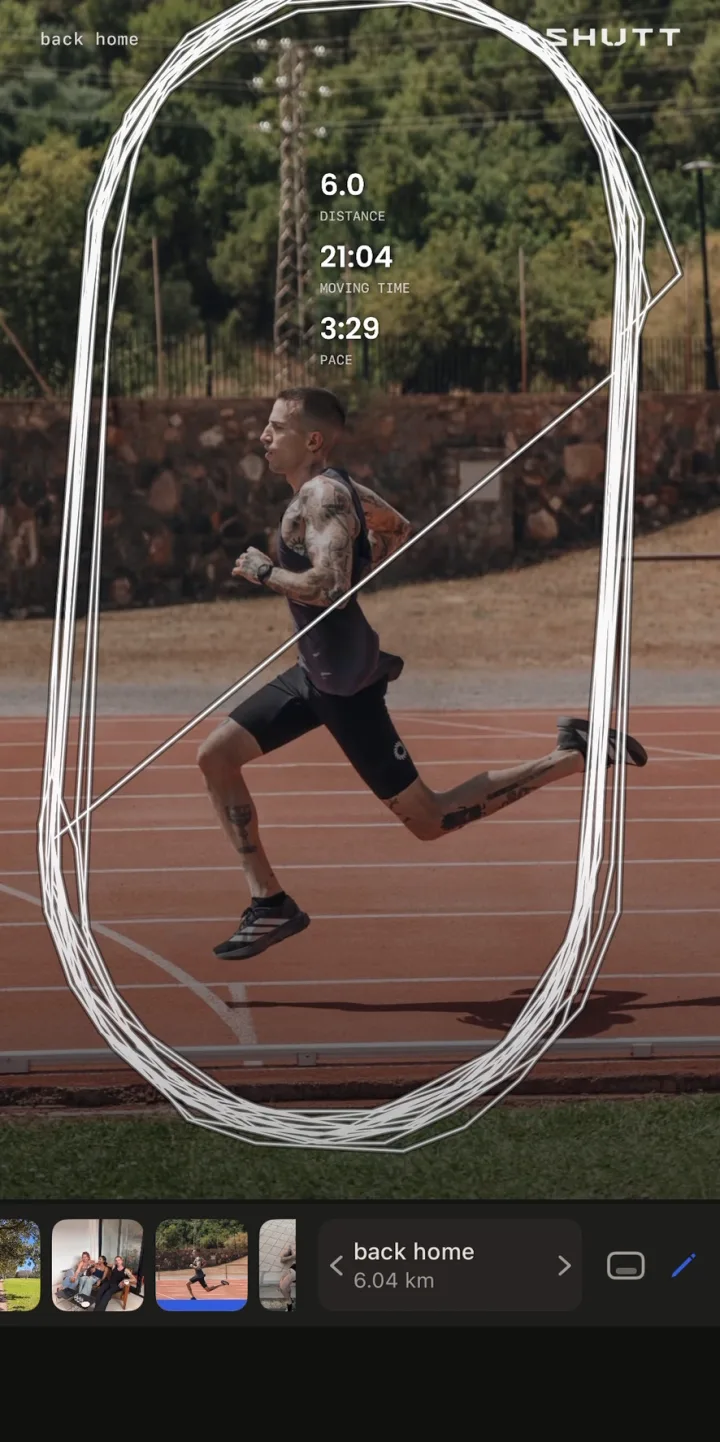
- Pick a look. The stats are filled from Strava, nothing to type.
- Adjust if you want. Drag, resize or restyle any block, or leave the defaults.
- Export at Story size (9:16) and save it or share it to Instagram Stories.
How the looks map to the templates
- Minimal and data panel: pick a look, then drag, resize or restyle the stat blocks until it shows what you want. Over 30 stats are available, including splits, heart rate and zones, elevation, cadence, weather and the song you listened to on Spotify.
- Route focus: the route is drawn over your photo in one of 49 styles, or shown as a map under it.
- Then and now: not something SHUTT does. It makes one image per run, so a side-by-side comparison is still a Canva job.
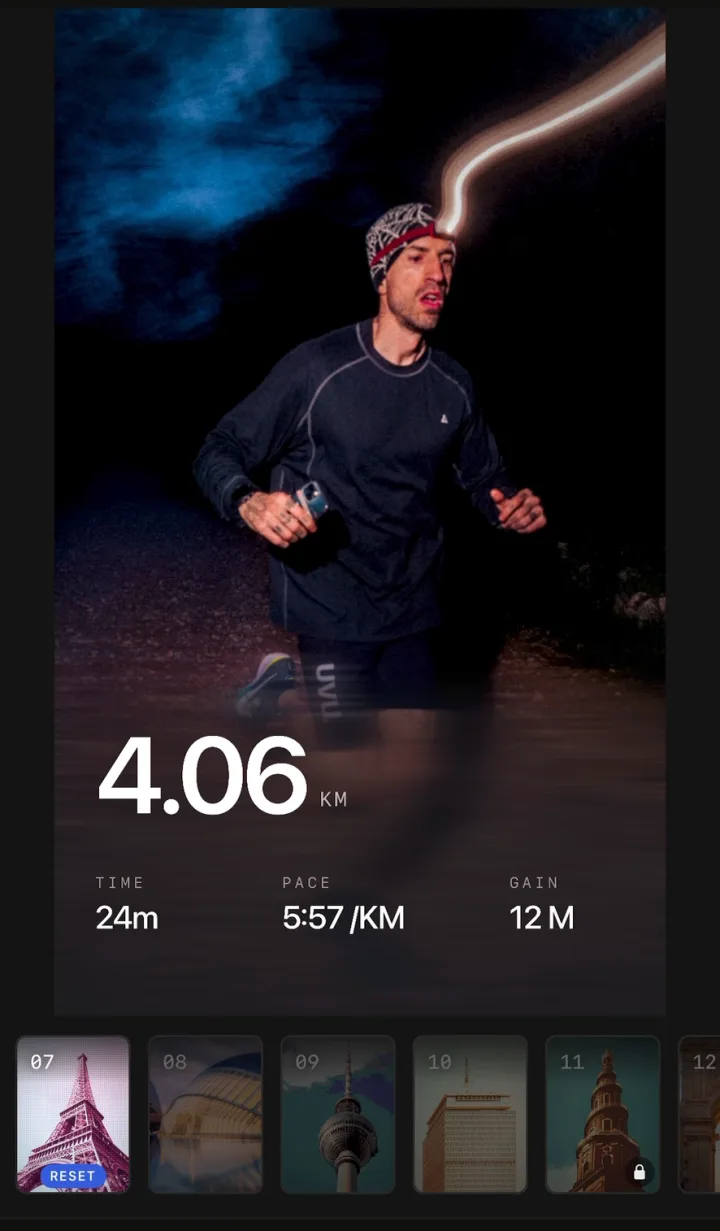
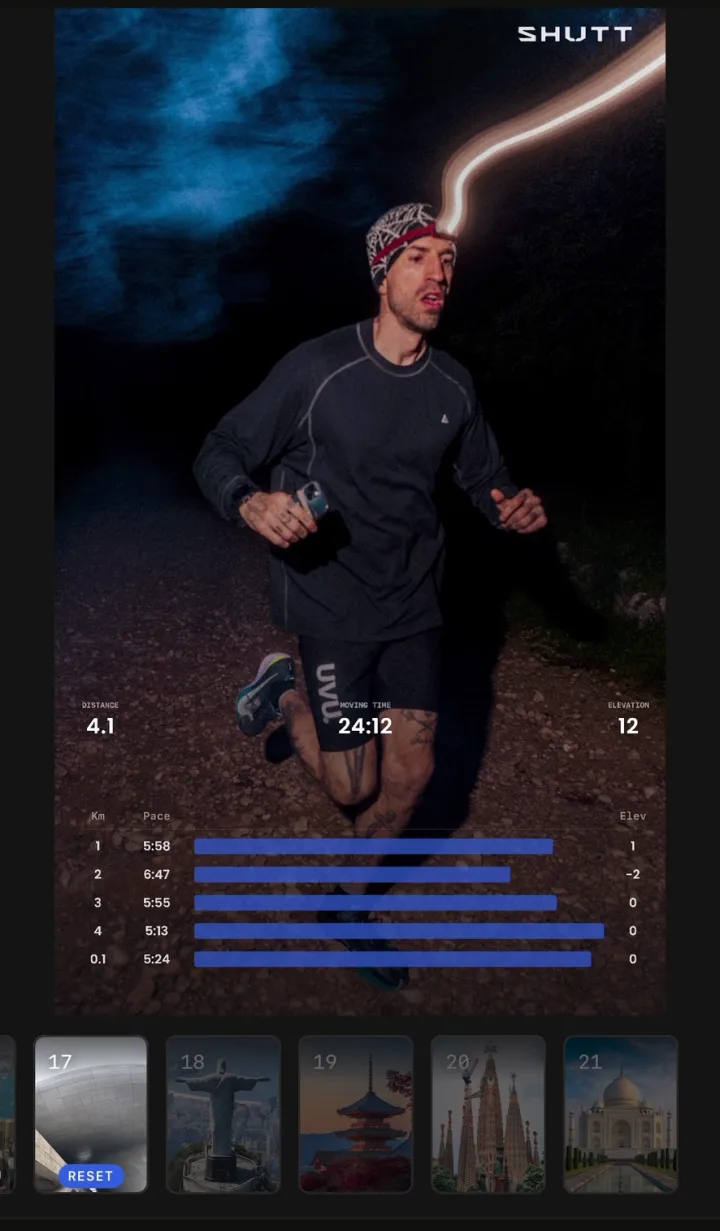
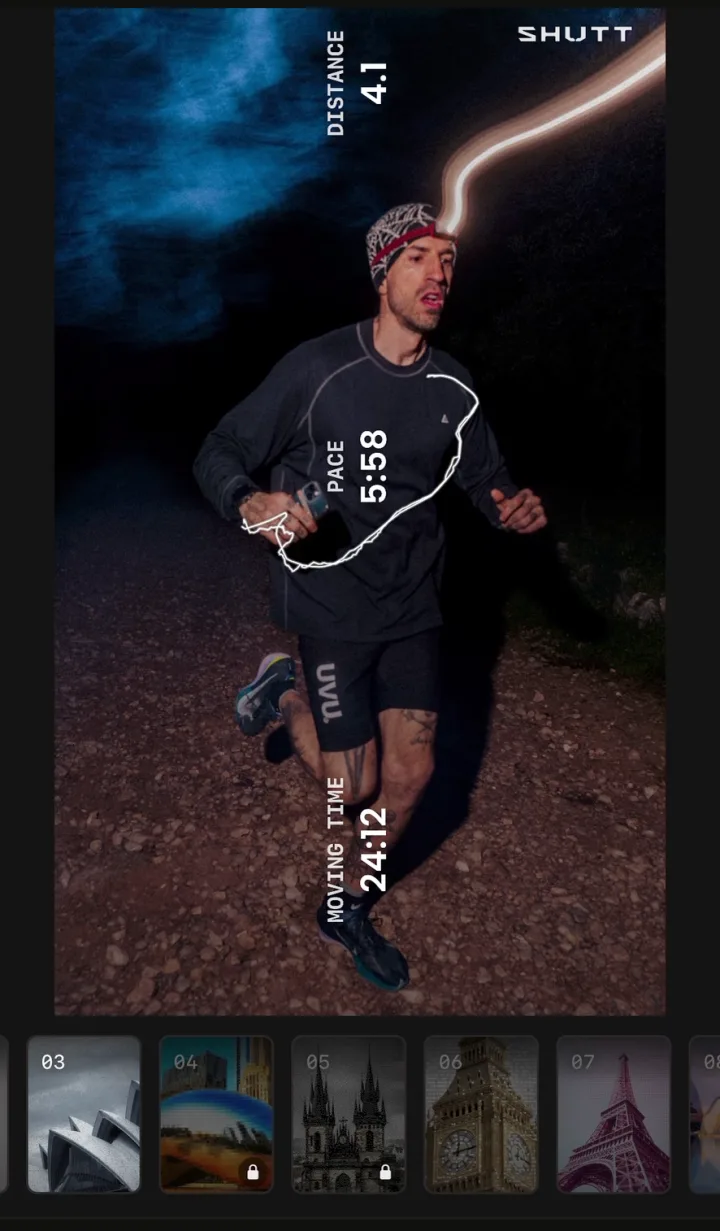
Free exports carry a small SHUTT mark; Pro removes it and opens premium looks, heart-rate stats, Apple Maps routes and transparent export. The features page has the rest.
| Canva template | Strava's share | SHUTT | |
|---|---|---|---|
| Time per Story | 5 to 20 min | Under a minute | About a minute |
| Stats | Typed by hand | From Strava | From Strava |
| Route | Cropped screenshot | Strava's map | Drawn from the activity |
| Your own photo | Yes | Yes | Yes, or a video clip |
| Design control | Full | Low | Finished looks, editable |
| Other sizes | Any | Stories | Post 4:5 and Square 1:1 |
| Platform | Web and mobile | iOS and Android | iPhone only |
Tips for any Story template
Pick the photo first. If the run has no good photo, use the route template. A strong layout does not rescue a dark, blurry photo.
Two to four stats. Distance, pace and time cover most runs.
Stay inside the safe zones. Text under the profile name or the reply bar gets covered.
Reuse one or two layouts. People recognise your Stories faster than you expect.
Leave room for a sticker. A poll ("Did you run today?") or a question turns a Story into a conversation.
Post the same day. A Story about this morning's run lands better than one about last week's.
Related guides
- How to share Strava runs on Instagram: every method, plus feed posts and Reels.
- How to add stats to your running photos: step-by-step for Markup, Canva and apps.
- How to make your Strava photos look good: shooting and styling.