To put speed, elevation and the route on a cycling photo, choose the two or three numbers that explain that ride, then either crop them from a Strava screenshot into an editor like Canva or Instagram, or use an app that reads the ride from Strava and draws them over the photo. For most outdoor rides that means distance, elevation gain and the route; speed earns its place on a fast, flat ride, and power on a hard or indoor one.
Rides need a different set of numbers from runs. Cyclists read speed, not pace, and a climb matters far more to a ride than to a run.
Which numbers suit which ride?
| Ride | Best numbers | Why |
|---|---|---|
| Climbing day or mountain pass | Elevation gain, elevation profile, distance | The climb is the story. Speed on a climbing day looks slow out of context. |
| Fast group ride or flat loop | Average speed, distance, moving time | Speed is the achievement on a flat road. |
| Long ride or sportive | Distance, moving time, elevation gain | The size of the day. 100 km reads clearly without any help. |
| Indoor or virtual ride | Average or normalised power, time | Indoor speed is virtual, so power is the honest number. |
| Gravel or mountain bike | Elevation, distance, the route | Speeds are low by nature, so show the terrain instead. |
| Commute | Distance, the route | Nobody needs the speed of a commute. |
What does a typical ride look like?
As a reference point, from 1,432 outdoor rides synced in 2026 by 50 cyclists who use SHUTT:
- The median outdoor ride was 22.6 km in 65 minutes, at 20.3 km/h, with 85 m of climbing.
- 17% climbed 500 m or more, and 3% were 100 km or longer.
- Mountain bike and gravel rides ran at a median of 14 to 17 km/h, against about 20 km/h on the road, with around 470 m of climbing each.
- Indoor rides (423 rides by 17 cyclists) had a median of 32.3 km at 32.8 km/h. That speed comes from the trainer's model, not the road, which is why power is the better number indoors.
The sample is small, so treat these as rough markers, not norms. The running data post has the same figures for runs.
How are ride numbers read differently from run numbers?
Speed, not pace
Runners talk in minutes per kilometre; cyclists talk in kilometres or miles per hour. Show km/h or mph on a ride, never a pace. Average moving speed is the honest version, because stops at lights do not count against it.
Elevation gain and the profile
Elevation gain is the total climbing. The profile is the shape of the ride from the side. On a ride with a named climb, the profile is often the single most striking element on the image, more than any number. On a flat ride it is a nearly straight line and adds nothing, so leave it off.
Power
Average power is the mean wattage. Normalised power (Strava calls it weighted average power) adjusts for surges, so it describes a hard, punchy ride better than the plain average. Power only means much to other cyclists when it comes from a power meter or smart trainer; without one, Strava shows an estimate.
How do you keep ride stats readable on a phone?
A Story is looked at for two or three seconds at arm's length.
- Three or four numbers at most. Distance, elevation and one more.
- Units always on. "120" could be kilometres, watts or minutes. "120 km" cannot.
- Put the route where the sky or the road is empty, not across the rider.
- Big for the headline number, small for the rest. On a climbing day, the elevation gain is the headline.
- Design for 9:16 first. Nearly every run image in our export data was a Story, and ride photos go to the same place.
How do you add them by hand for free?
- Open the ride in Strava and screenshot the overview, the elevation chart and the map.
- Open your photo in Instagram Stories, Canva or any editor that layers images.
- Crop each screenshot to just the part you want and place it over the photo.
- Type the headline number yourself in a font that suits the photo.
This takes 10 to 15 minutes. The limits: screenshots carry Strava's own colours and backgrounds, they go soft when you enlarge them, and the map comes with street labels you cannot remove. The guide to stats overlays compares this with the other free routes.
How do you add them from Strava automatically?
An app that reads the ride from Strava draws the numbers, profile and route from the activity data itself, so they stay sharp and match.
In SHUTT, which I make, rides are imported once you ask for cycling in Settings. You can then put speed, distance, elevation gain and the elevation profile, power (average, normalised and best efforts), climbing rate and the route on your own photo or video. It is iPhone only, and it is built around running first, so the looks are designed for runs and work on rides rather than the other way round.
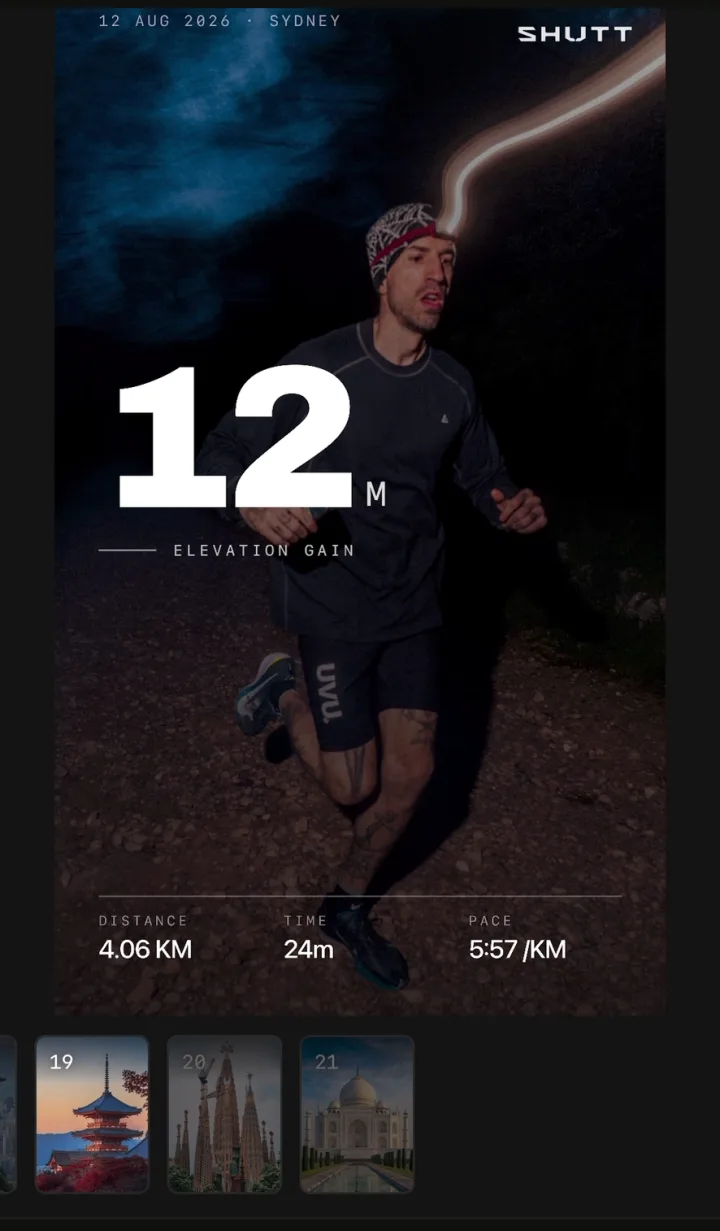
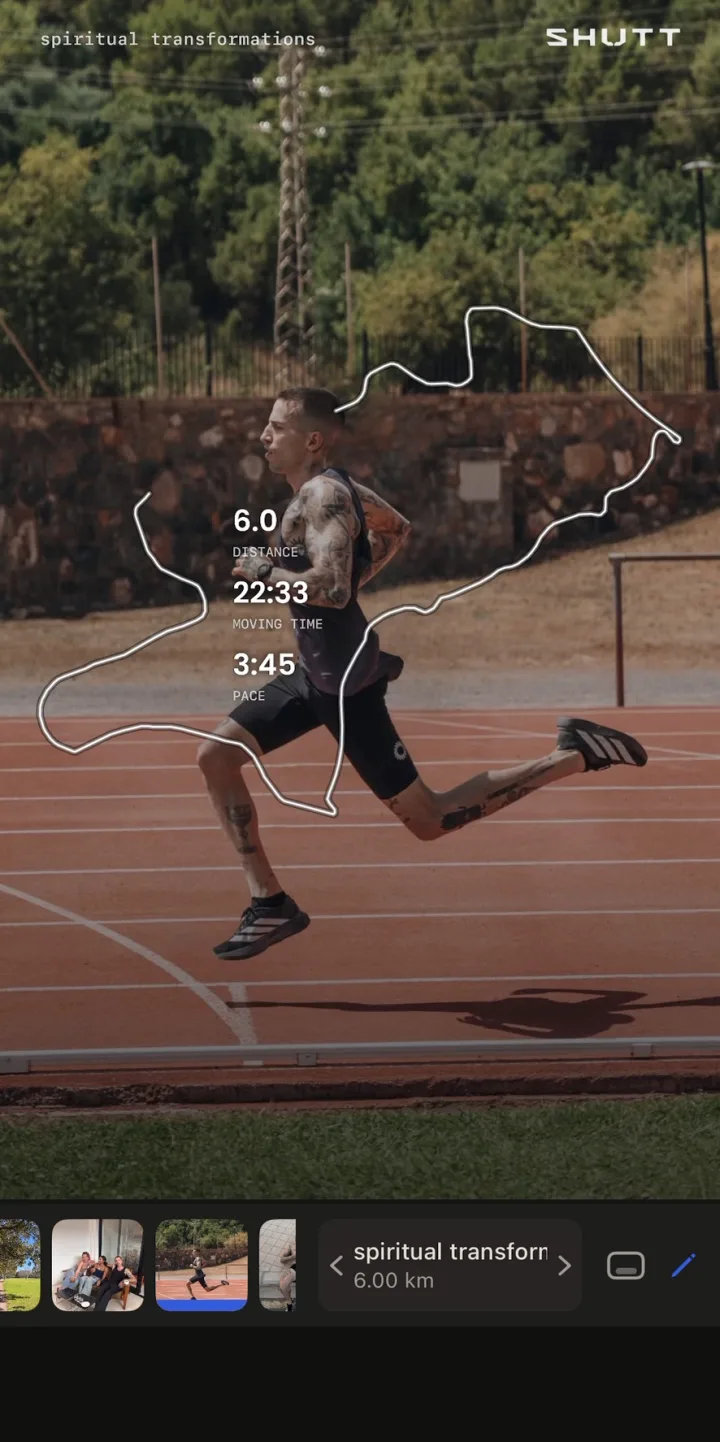
Combinations that work
- Climb: elevation gain large, the profile underneath, distance small.
- Fast flat ride: average speed large, distance and moving time small.
- Sportive or century: distance large, moving time and elevation gain small, the route.
- Indoor session: normalised power large, time small. No map.